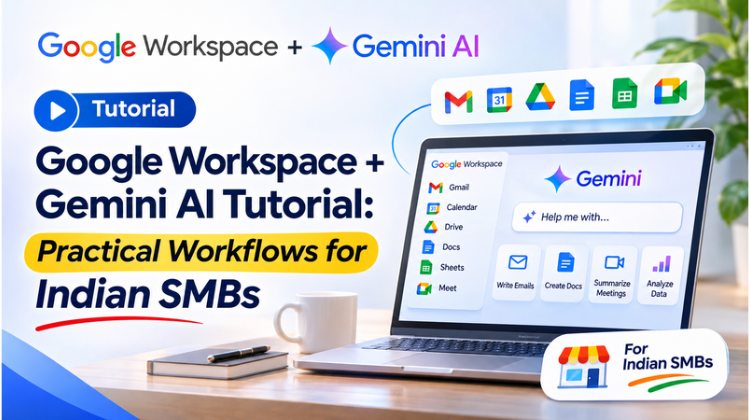
Small and medium businesses across India are operating in an environment where speed, margin discipline, and responsiveness decide who wins the contract. Yet inside most growing companies—whether an export house in Gurugram, a SaaS startup in Bengaluru, a D2C brand in Mumbai, or a manufacturing supplier in Pune—skilled employees still lose hours every week to repetitive digital busywork. Drafting routine client proposals, summarizing sprawling email threads, reconciling vendor spreadsheets, writing job descriptions, and transcribing weekly review meetings eat away at the bandwidth needed for actual revenue generation.
Integrating artificial intelligence directly into the tools your team already opens every morning eliminates that friction. Instead of forcing staff to copy sensitive company text into external consumer chatbots, built-in AI inside your corporate email, documents, spreadsheets, and video calls keeps data protected while accelerating daily execution. This Google Workspace + Gemini AI Tutorial breaks down how Indian small and medium businesses can turn native AI capabilities into repeatable, high-ROI workflows across sales, finance, operations, HR, and leadership—with zero external links and practical prompts your team can deploy immediately.
Why This Google Workspace + Gemini AI Tutorial Matters for Indian SMBs
For years, enterprise automation felt out of reach for organizations with 10 to 250 employees. Deploying standalone AI tools meant paying for separate software licenses, training staff on unfamiliar interfaces, and worrying about whether confidential client pricing or GST records were being used to train public AI models.
With Gemini embedded directly into Google Workspace Business plans, those barriers disappear. Here is why a structured Google Workspace + Gemini AI Tutorial is one of the highest-leverage investments an Indian SMB can make today:
Zero Context Switching: Employees do not need to open a separate browser tab, upload files, or re-explain formatting rules. Gemini lives inside the side panel of Gmail, Google Docs, Google Sheets, Google Slides, Google Drive, and Google Meet, reading the exact file or thread you are currently working on.
Enterprise-Grade Data Privacy: Unlike free consumer AI tools, commercial Google Workspace plans enforce strict data governance. Your company emails, financial sheets, customer lists, and prompts remain confidential—they are never used to train Google’s foundational models or reviewed by human annotators.
Multilingual & Regional Communication Readiness: Indian teams routinely collaborate across multiple cities, languages, and accents. Gemini helps draft crisp English business communication, translates live meeting captions, and standardizes client-facing proposals so regional offices present one unified, polished brand voice.
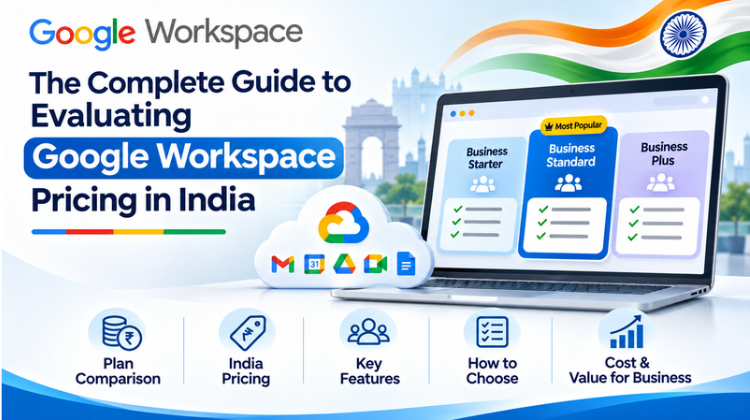
Predictable All-in-One Economics: Rather than stacking separate subscriptions for transcription software, copywriting assistants, and basic data tools, businesses evaluating google workspace pricing in india get core productivity, 2 TB of cloud storage per user on Business Standard, and integrated Gemini AI features inside one predictable monthly or annual INR invoice.
Understanding Workspace Plans in This Google Workspace + Gemini AI Tutorial
Before rolling out workflows across departments, administrators and founders need clarity on which Google Workspace edition unlocks which AI capabilities. While Business Starter includes access to the standalone Gemini app with enterprise data protections and basic drafting help in Gmail, full side-panel integration across Docs, Sheets, Slides, Drive, and Meet is unlocked starting with Business Standard and Business Plus.
| Workspace Capability | Business Starter | Business Standard | Business Plus |
| Pooled Cloud Storage per User | 30 GB | 2 TB | 5 TB |
| Standalone Gemini App (with Data Protection) | Included | Included | Included |
| Gmail Drafting & Thread Summaries | Limited | Full Side-Panel Access | Full Side-Panel Access |
| Docs Content Generation & Rewriting | Limited | Full Side-Panel Access | Full Side-Panel Access |
| Sheets Formula & Table Generation | Not Included | Included | Included |
| Slides Visuals & Deck Creation | Not Included | Included | Included |
| Google Meet Automatic Note-Taking | Not Included | Included | Included |
| Custom AI Assistants (Gems) & NotebookLM | Limited | Included | Included + Higher Limits |
For most Indian SMBs with 10 to 300 employees, Business Standard hits the sweet spot: it eliminates storage bottlenecks with 2 TB per user while giving sales, operations, and finance teams full AI assistance across every core Workspace application.
Sales & Account Management Workflows in Our Google Workspace + Gemini AI Tutorial
In B2B sales, response speed directly correlates with win rates. When a prospect sends a detailed requirement inquiry at 5:30 PM, sending a tailored, accurate proposal the same evening sets your company apart from competitors who take three days to reply. This section of our Google Workspace + Gemini AI Tutorial demonstrates how sales teams can compress multi-hour proposal cycles into twenty minutes.
Workflow 1: Turning Long Inquiry Threads into Structured Proposals
Instead of manually scrolling through 25 back-and-forth emails to extract scope details, let Gemini synthesize the thread and build your first draft.
Summarize the Client Thread in Gmail: Open the inquiry email chain and click the Ask Gemini sparkle icon in the top-right corner of Gmail. Enter the prompt:
“Summarize this entire email thread into bullet points covering: (1) Client’s core problem, (2) Requested deliverables and quantities, (3) Target timeline, and (4) Any budget or compliance constraints mentioned.”
Generate a Proposal Draft in Google Docs: Open a new Google Doc using your company letterhead template, open the Gemini side panel, and reference your Drive files by typing
@followed by your standard service catalog or rate card document:“Draft a formal 2-page B2B proposal for [Client Name] based on the requirements below and our pricing structure in
@Company_Rate_Card_2026. Include an Executive Summary, Scope of Work, Delivery Timeline, Commercial Terms in INR (excluding 18% GST), and Next Steps.”Human Review & Polish: Verify every figure, tax clause, and delivery commitment before exporting to PDF and sending.
Workflow 2: Multilingual & Tone-Adapted Follow-Ups
Indian sales managers often speak with clients in Hindi, Tamil, Marathi, or Gujarati over the phone and then need to send a crisp, formal English recap email. Draft rough bullet points in Gmail, highlight the text, click Help me write, and select Formalize or Elaborate to generate an executive-ready follow-up in seconds.
Finance & Operations Workflows in This Google Workspace + Gemini AI Tutorial
Operations and accounts teams spend vast amounts of energy cleaning vendor exports, writing complex INDEX-MATCH or SUMIFS formulas, and tracking overdue receivables. Leveraging spreadsheet intelligence is one of the highest-impact lessons in any Google Workspace + Gemini AI Tutorial.
Workflow 3: Natural-Language Formula Building & Data Cleanup in Sheets
You no longer need to memorize nested spreadsheet syntax to analyze inventory or expense logs.
Generate Complex Formulas from Plain English: Open your monthly expense or sales ledger in Google Sheets and click the Gemini side panel. Ask:
“Write a formula in column H that calculates the total invoice value including 18% GST when column F says ‘Intra-State’, or splits it into 9% CGST and 9% SGST in columns I and J.”
Categorize Raw Bank or Expense Descriptions: When importing raw CSV statements from Indian banks or corporate cards, vendor names often appear as messy alphanumeric strings. Prompt Gemini:
“Analyze the transaction descriptions in Column B and categorize each row in Column D into one of these buckets: Software Subscriptions, Logistics & Courier, Office Rent & Utilities, Travel & Conveyance, or Vendor Raw Materials.”
Spot Anomalies Before Month-End Closing: Highlight a quarterly P&L table and ask Gemini to identify any expense line item that grew by more than 15% compared to the previous quarter, giving finance leads an instant executive summary for leadership review.
Workflow 4: Automating Payment Reminder Sequences
Chasing overdue invoices politely without damaging long-term vendor or client relationships requires tact. Create three reusable prompt templates for your accounts receivable team in Gmail:
7 Days Before Due Date: Friendly reminder with invoice number and payment portal/NEFT details.
3 Days Overdue: Polite check-in asking if any documentation or GRN (Goods Receipt Note) approval is pending.
15 Days Overdue: Firm, professional escalation notice summarizing total outstanding balance and requesting a confirmed payment date.
Google Meet & Leadership Workflows in This Google Workspace + Gemini AI Tutorial
Founders and department heads routinely sit through four to six hours of internal standups, vendor negotiations, and client reviews every day. Taking manual notes splits attention, and action items frequently vanish once everyone leaves the call.
Workflow 5: Automated Meeting Notes, Action Items, and Catch-Up Summaries
When hosting calls on Google Meet (available on Business Standard and above), turn on Take notes with Gemini at the start of the meeting:
Live Capture Without Distraction: Gemini listens to the conversation, distinguishes between speakers, and compiles a structured Google Doc summarizing key discussion points, decisions made, and assigned next steps.
Late-Joiner Catch-Up: If a director joins a review call 15 minutes late, they can click Summary so far in the Meet panel to read what was already decided without interrupting the presenter.
Post-Call Distribution: As soon as the call ends, the generated notes document is automatically attached to the Google Calendar invite and emailed to internal attendees—ensuring accountability across distributed teams in Delhi NCR, Mumbai, Bengaluru, and remote locations.
HR & Training Workflows in This Google Workspace + Gemini AI Tutorial
Growing SMBs rarely have large HR departments. Often, one or two HR generalists handle recruitment, onboarding, compliance policies, and employee engagement simultaneously.
Workflow 6: Building Role-Specific Job Descriptions and Interview Rubrics
Instead of recycling outdated job postings from job portals, open Google Docs and prompt Gemini:
“Create a structured job description for a Senior B2B Inside Sales Executive based in Gurugram with 3–5 years of SaaS or cloud solutions experience. Separate Must-Have Skills from Good-to-Have Skills, include 5 key KPIs for the first 90 days, and keep the tone energetic yet professional.”
Once candidates apply, follow up with a second prompt:
“Based on the job description above, generate a 30-minute structured interview scorecard with 6 behavioral and situational questions, along with what a strong answer vs. a weak answer looks like.”
Workflow 7: Turning SOPs and Policies into an Interactive Knowledge Base with NotebookLM
Most SMBs have employee handbooks, leave policies, travel reimbursement rules, and product manuals scattered across PDFs and Google Docs. By uploading those trusted internal documents into NotebookLM (included with Workspace editions), HR and team leads create a grounded AI assistant. New hires can ask questions like “What is the reimbursement limit for outstation client travel?” and receive accurate answers citing the exact paragraph of your company policy—without guessing or hallucinating external rules.
Marketing & Content Workflows in This Google Workspace + Gemini AI Tutorial
Small marketing teams are expected to produce pitch decks, case studies, social campaigns, and product videos on tight budgets.
Workflow 8: Instant Pitch Decks in Google Slides and Video Overviews in Google Vids
Client Presentation Creation: Open Google Slides, open the Gemini side panel, and type: “Create a 6-slide presentation summarizing our Q3 logistics performance report from
@Q3_Operations_Review, including slide speaker notes and clean visual layout suggestions.” Gemini builds editable slides complete with generated imagery that your designer can refine in minutes rather than hours.Internal Training & Product Explainers with Google Vids: Using Google Vids (available on Business Standard and above), marketing and L&D teams can convert a standard Google Doc script into a narrated, storyboarded training video complete with stock footage, transitions, and voiceover—ideal for onboarding field sales reps across India. Google Workspace + Gemini AI Tutorial: Practical Workflows for Indian SMBs
30-Day Rollout Plan for Your Google Workspace + Gemini AI Tutorial
Buying licenses without an adoption plan often leads to teams trying AI once and reverting to old habits. Follow this proven four-week rollout framework to embed these workflows permanently:
Week 1 — Admin Enablement & Champion Selection: Verify your Google Workspace edition in the Admin Console and confirm Gemini controls are enabled for your target organizational units. Select one tech-curious “AI Champion” from Sales, Finance, Operations, and HR rather than overwhelming everyone at once.
Week 2 — Build a Shared Prompt Library: Ask each department champion to test three recurring workflows and save the best-performing prompts inside a shared Google Doc titled Company AI Playbook. Copying proven prompts eliminates blank-screen paralysis.
Week 3 — Activate Meet Notes & Custom Gems: Enable automated meeting notes for internal weekly reviews. Build custom Gems (tailored AI personas inside Gemini) for repetitive tasks—such as a Proposal Reviewer Gem trained on your brand guidelines or a GST Invoice Checker Gem.
Week 4 — Measure Time Saved & Publish AI Governance Rules: Survey your champions to quantify hours saved per week, refine your prompt library, and publish a clear one-page company guideline stating that all AI work must happen inside your protected Google Workspace environment rather than personal consumer accounts. Google Workspace + Gemini AI Tutorial: Practical Workflows for Indian SMBs
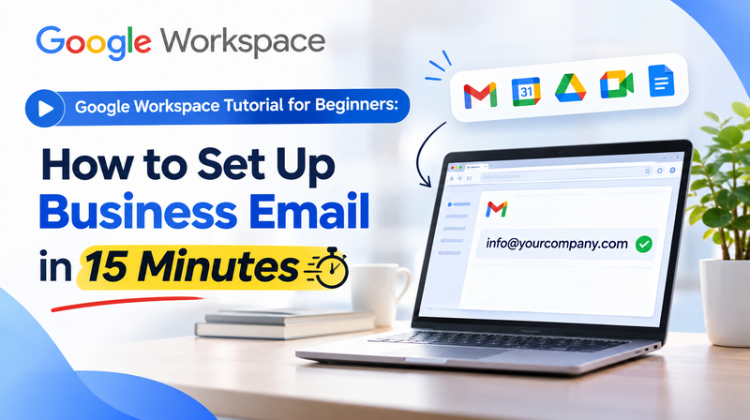
Also Read: Google Workspace Tutorial for Beginners: How to Set Up Business Email in 15 Minutes
Google Workspace Gemini AI workflows # Gemini AI for Indian SMBs # Google Workspace AI features 2026 # how to use Gemini in Gmail # Gemini in Google Sheets tutorial # Google Meet AI note taking # Google Workspace Business Standard AI # AI productivity tools for small business India # Google Workspace automation guide # Gemini AI prompts for sales and HR # Google Workspace data privacy AI # NotebookLM for business SOPs # Google Vids tutorial for business # google workspace pricing in india # Google Workspace partner in India # Google Workspace reseller Gurgaon # AI workflows for Indian startups # Gemini side panel Google Docs # Google Slides AI presentation generator # small business AI adoption plan # enterprise AI data security Google # Google Workspace Admin Console AI settings # automate B2B proposals with Gemini # Google Workspace Gems tutorial # AI tools for Indian finance teams # boost SMB productivity with Google AI # Google Workspace deployment Gurgaon # cloud productivity suite for Indian businesses # Google Workspace training for teams # generative AI for business email # Google Workspace ROI for SMBs # digital transformation for Indian SMBs
FAQ
1. How does Gemini AI work inside Google Workspace for small businesses?
Gemini AI is embedded directly into the side panels of Gmail, Google Docs, Google Sheets, Google Slides, Google Drive, and Google Meet. It reads the context of the specific email thread, document, or spreadsheet you have open—as well as authorized files in your Google Drive—to draft emails, summarize conversations, build spreadsheet formulas, design presentation slides, and capture automated meeting notes without requiring you to switch apps or copy data into external tools. Google Workspace + Gemini AI Tutorial: Practical Workflows for Indian SMBs
2. Is company data safe when using Gemini AI in Google Workspace?
Yes, commercial Google Workspace plans provide enterprise-grade data protection and privacy. Your organization’s emails, documents, spreadsheets, financial records, and AI prompts remain strictly confidential within your Workspace environment—they are never used to train Google’s public generative AI models, never shared with advertisers, and never reviewed by human annotators. Google Workspace + Gemini AI Tutorial: Practical Workflows for Indian SMBs
3. Which Google Workspace plan includes full Gemini AI features across Gmail, Docs, Sheets, and Meet?
While Google Workspace Business Starter includes access to the standalone Gemini app with enterprise data protections and basic Gmail assistance, full side-panel Gemini AI integration across Docs, Sheets, Slides, Drive, Google Vids, and automated note-taking in Google Meet is included starting with Google Workspace Business Standard and Business Plus. Google Workspace + Gemini AI Tutorial: Practical Workflows for Indian SMBs
4. What are the most practical Gemini AI workflows for Indian SMBs?
The highest-ROI workflows for Indian SMBs include summarizing long client inquiry threads and drafting GST-ready B2B proposals in Gmail and Docs, generating complex accounting formulas and categorizing bank statements in Google Sheets, capturing automated action items during multilingual Google Meet calls, building role-specific job descriptions for HR, and turning company SOPs into an instant employee Q&A hub using NotebookLM. Google Workspace + Gemini AI Tutorial: Practical Workflows for Indian SMBs
5. Why should businesses choose Amyntas Media Works in Gurgaon for Google Workspace and Gemini AI deployment?
Partnering with an authorized Google Workspace Premier Reseller and Cloud Partner like Amyntas Media Works in Gurgaon provides Indian SMBs with expert license consultation, seamless zero-downtime migration, custom Admin Console security and DLP configuration, local GST-compliant invoicing in INR, hands-on employee AI workflow training, and dedicated 24/7 technical support—ensuring your team achieves measurable productivity gains from day one. Google Workspace + Gemini AI Tutorial: Practical Workflows for Indian SMBs

Exploring the Benefits of Partnering with Google Cloud Migrating to Read more

Reasons to Work with a Google Workspace Partner Every business Read more
Advantages of Google Workspace for Education Google Workspace for Education Read more
As the market evolves, businesses and organizations continually seek robust Read more