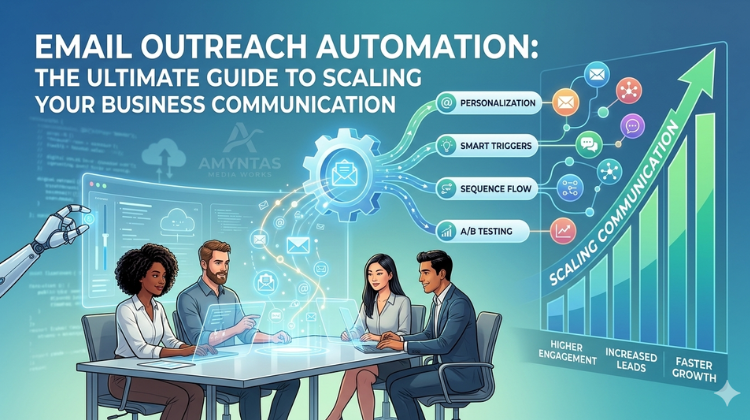
Email Outreach Automation: The Ultimate Guide to Scaling Your Business Communication
In today’s fast-paced digital world, manually sending emails to prospects is no longer efficient. Businesses need smarter, faster, and more scalable solutions—and that’s where email outreach automation comes in.
From lead generation to client engagement, automating your email outreach can transform the way you connect with your audience. In this guide, we’ll explore how email automation works, its benefits, best practices, and how to use it effectively for business growth.
What is Email Outreach Automation?
Email outreach automation is the process of using tools and software to send personalized emails to prospects automatically, based on predefined triggers, schedules, or workflows.
Instead of sending emails one by one, you can:
- Create automated email sequences
- Schedule follow-ups
- Personalize messages at scale
- Track engagement and responses
It helps businesses save time while maintaining consistent and professional communication.
Why Email Outreach Automation is Important for Businesses
Automation is no longer optional—it’s essential for scaling operations. Here’s why:
Saves Time and Effort
Manually sending emails is time-consuming. Automation allows you to reach hundreds of prospects in minutes.
Improves Consistency
Automated workflows ensure that no lead is missed and every prospect receives timely follow-ups.
Increases Response Rates
With proper personalization and timing, automated emails can significantly improve open and reply rates.
Enables Scalable Growth
As your business grows, automation helps you handle larger outreach campaigns without increasing workload. Also Read: Cold Email Outreach: The Complete Guide to Generate Leads and Grow Your Business
How Email Outreach Automation Works
Email automation tools follow a simple process:
Step 1: Build a Targeted Prospect List
Identify your audience based on industry, job role, and business size.
Step 2: Create Email Sequences
Design a series of emails including:
- Initial outreach
- Follow-ups
- Value-driven reminders
Step 3: Personalize at Scale
Use dynamic fields like name, company, or role to make emails feel human.
Step 4: Automate Scheduling & Triggers
Emails are sent automatically based on time intervals or user behavior.
Step 5: Track Performance
Analyze open rates, click rates, and replies to optimize campaigns.
Key Benefits of Email Outreach Automation
Higher Productivity
Automation reduces repetitive work and frees up time for strategy.
Better Lead Nurturing
Every lead is followed up systematically without manual effort.
Scalable Personalization
Send customized emails to hundreds of prospects efficiently.
Data-Driven Insights
Performance tracking helps refine your outreach approach.
How Amyntas Media Can Help You Succeed
Implementing email outreach automation is not just about tools—it’s about setting up the right strategy, infrastructure, and execution process. This is where Amyntas Media can make a significant difference.
As a trusted partner for business communication solutions, Amyntas Media helps organizations set up professional email systems, including domain-based email services and scalable communication platforms. With the right email infrastructure in place, businesses can improve email deliverability, avoid spam issues, and maintain a strong brand identity.
Additionally, Amyntas Media works supports businesses in optimizing their outreach workflows—ensuring that your automated emails are not only sent efficiently but also perform effectively. From setup to optimization, having the right partner can greatly enhance your outreach results.
Best Practices for Effective Email Outreach Automation
To get the best results, follow these strategies:
Keep Emails Short and Clear
Focus on delivering value quickly.
Maintain a Human Tone
Automation should not feel robotic—write conversationally.
Use a Verified Business Email
A professional email domain improves trust and inbox placement.
Plan Smart Follow-Ups
Send 2–4 follow-ups with additional value, not just reminders.
Continuously Optimize
Test subject lines, email content, and CTAs regularly.
Common Mistakes to Avoid
Avoid these pitfalls in your campaigns:
- Sending generic bulk emails
- Ignoring personalization
- Over-automating without strategy
- Not tracking performance
- Using unprofessional email IDs
Simple Automated Email Sequence Example
Email 1 – Introduction
Introduce your service and highlight value.
Email 2 – Follow-Up
Add more insight or benefit.
Email 3 – Final Reminder
Short and direct with a clear CTA.
Google Workspace Pricing 2026: Choosing the Right Foundation for Your Outreach
To automate your email outreach successfully, you need a professional domain (e.g., name@yourcompany.com). Using a standard @gmail.com address for cold outreach is a quick way to get flagged as spam. Google Workspace is the industry standard for deliverability.
Key 2026 Updates to Note:
Gemini AI Integration: Google has now bundled Gemini AI directly into all business tiers. This allows you to use AI to draft outreach sequences, summarize email threads, and analyze spreadsheet data without needing a separate add-on.
Pooled Storage: Storage is now “pooled” across your entire organization. If you have 5 users on Business Standard, your company has a total of 10 TB to share, which is highly beneficial if some team members have much larger file requirements than others.
Pro-Tips for Outreach Automation:
Start with Business Starter: If you are just “warming up” your first few domains, the Starter plan is cost-effective.
Upgrade for Shared Drives: As soon as you hire a VA (Virtual Assistant) or a Sales Development Rep (SDR), you should move to Business Standard. This gives you “Shared Drives,” ensuring that if a team member leaves, the company retains ownership of all outreach scripts and lead lists.
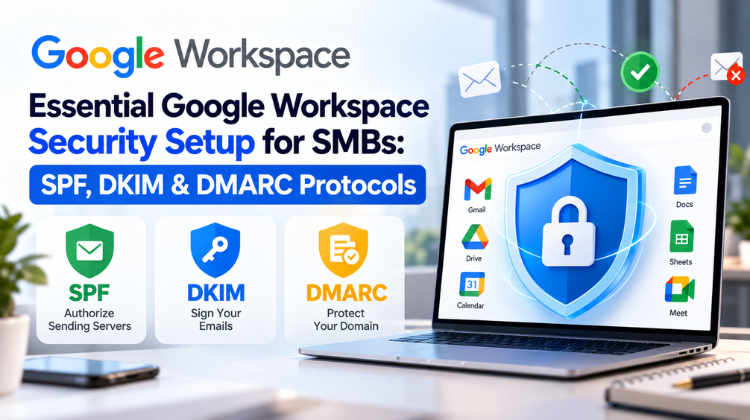
Authentication is Free: Regardless of the plan, Google Workspace allows you to set up SPF, DKIM, and DMARC—the three essential technical settings required to ensure your automated emails actually land in the primary inbox. For more information on Google workspace pricing, connect with Amyntas Media Works today.
Final Thoughts
Email outreach automation is a powerful way to scale your business communication while maintaining consistency and professionalism. When combined with the right tools, strategy, and infrastructure, it can significantly improve lead generation and conversions.
The key is to balance automation with personalization—because even automated emails should feel genuine and relevant. Scaling your outreach without losing that “human touch” requires a deep understanding of both technical deliverability and high-level sales psychology.
FAQs on Email Outreach Automation
Is email outreach automation effective?
Yes, it helps scale communication, improve efficiency, and increase response rates.
How many emails should be in a sequence?
Typically, 3–5 emails including follow-ups work best.
Can automated emails feel personal?
Yes, with proper segmentation and dynamic personalization.
Does email automation improve conversions?
Absolutely. Consistent follow-ups and timely communication increase conversion chances.
Every business uses the best digital techniques to reach its Read more

There are numerous effective ways a business can use as Read more

Google Trends is a free SEO tool from Google, used Read more
Lets read ChatGPT vs Gemini: Who Will Lead the AI Read more